MOSAIC · Pages, Boards & Project Planner
Pages, boards and plans inside Unreal.

Write design docs, lay out references on an infinite canvas and run the project in a kanban, a table and a calendar, without leaving the editor. Everything is saved as plain text in your project.

Personal licence $49.99 · Professional $199.99

Press a tile
[01] MOSAIC // In the editor07 chapters

Feature tour//07 chapters

Your whole project, one tab away.

Pages, boards, tables and plans in one window inside the Unreal Editor. Scroll through the tour.

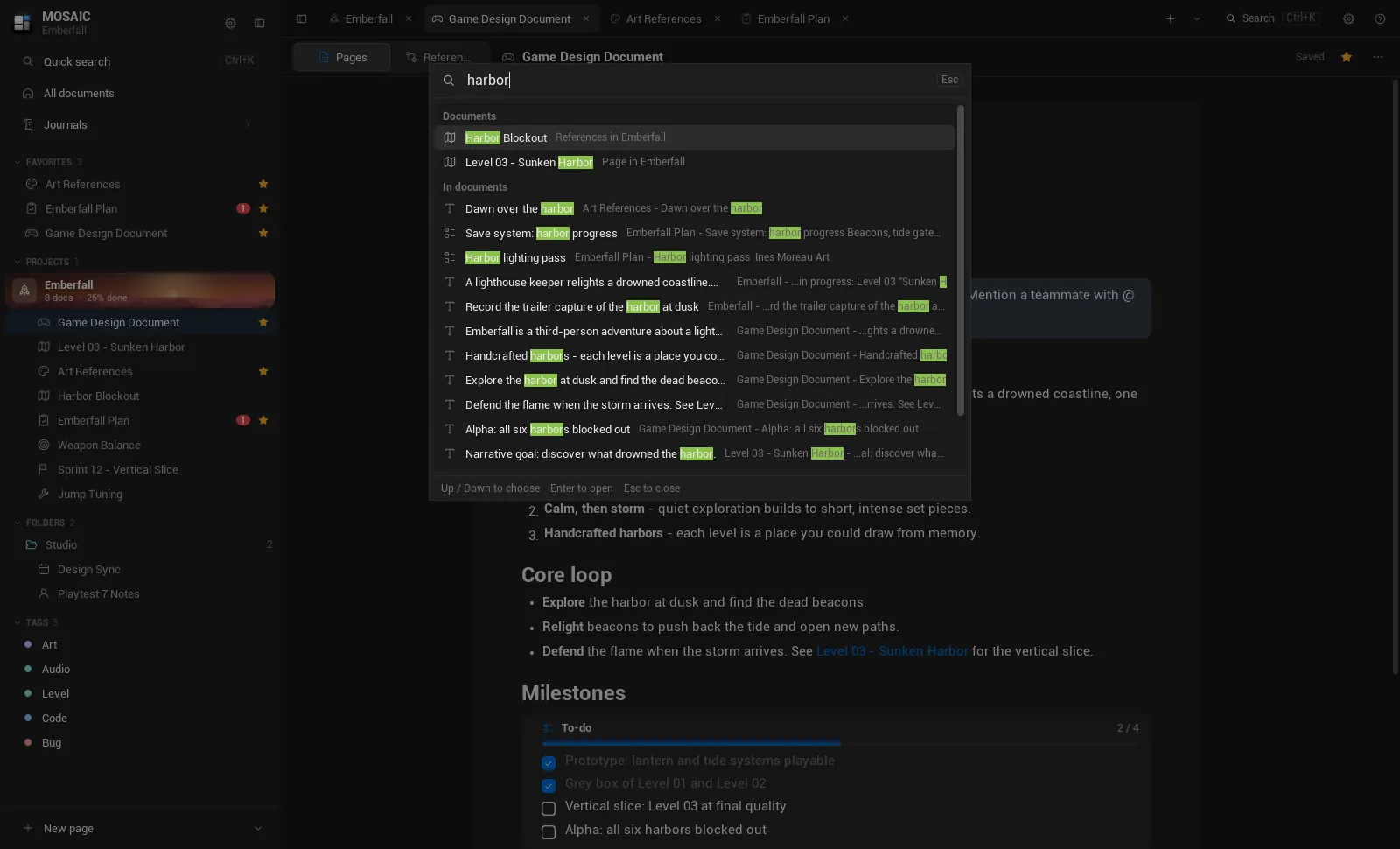
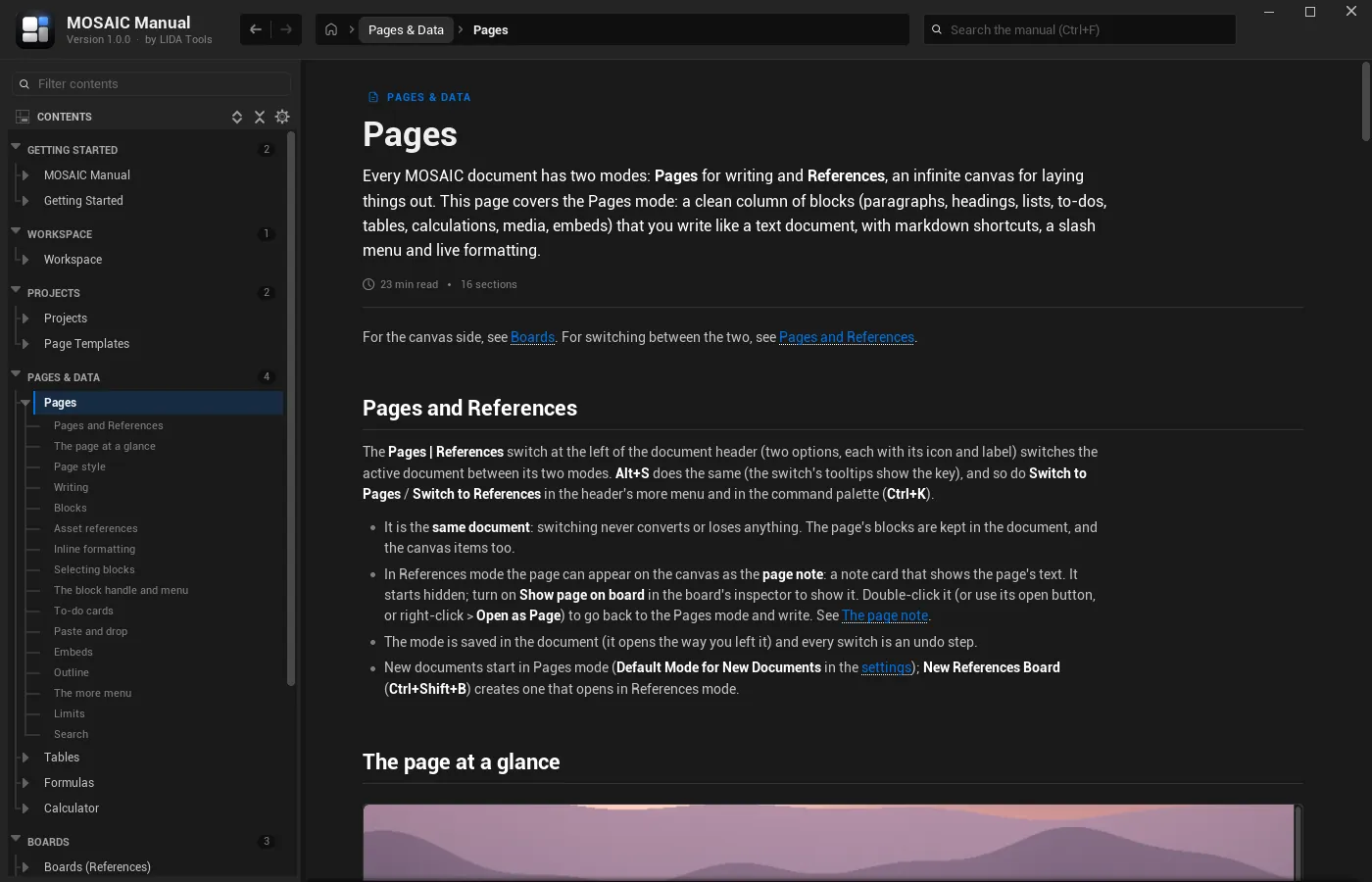
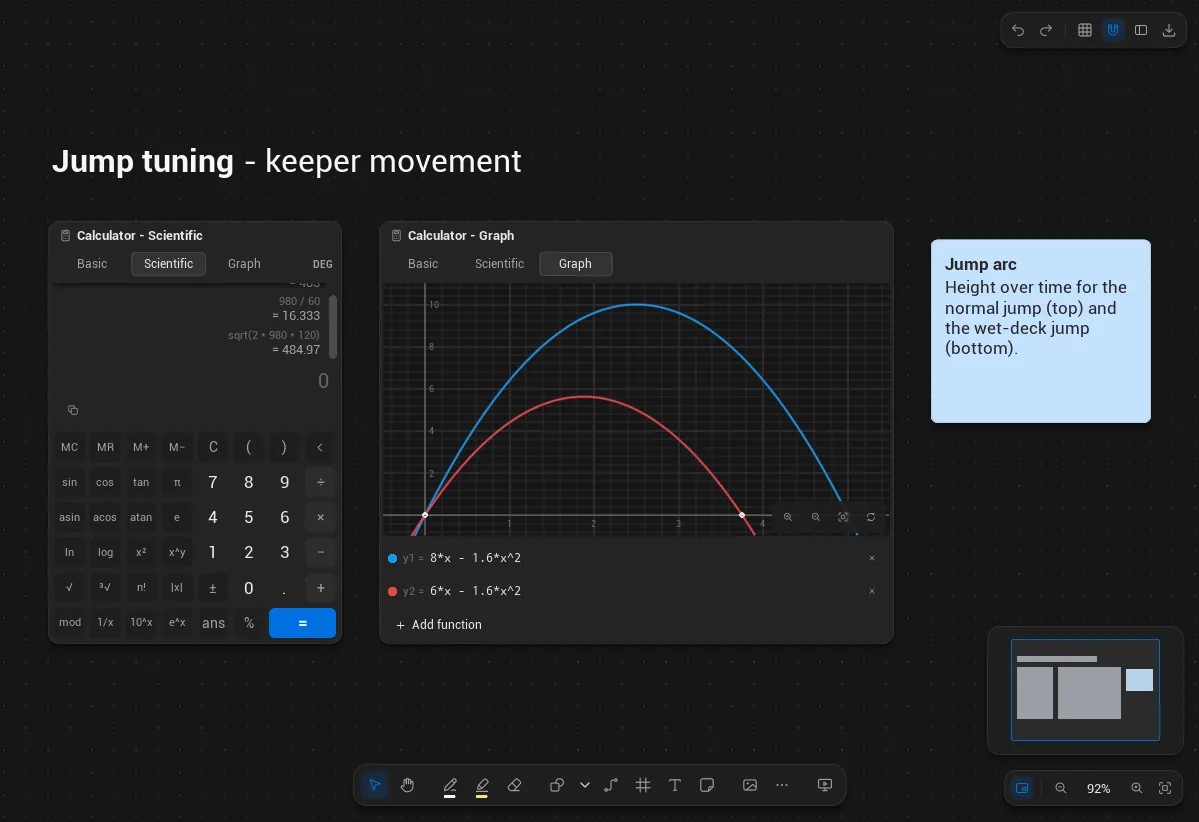
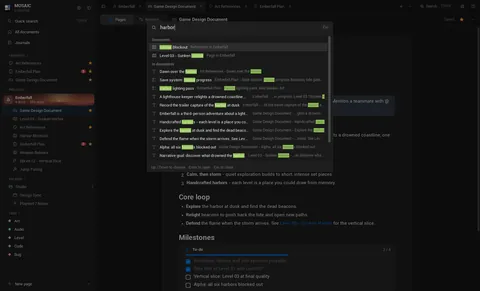
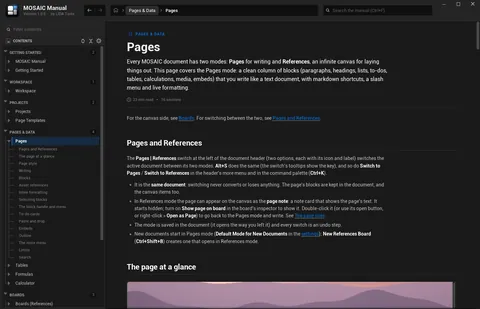
The MOSAIC windowWindowThe command paletteCommand paletteThe manual, inside the editorManual
Files
Each document is a file you can keep in source control
Ctrl+K
The command palette reaches every document and command
Favourites
Pin the documents you open every day

01 / 07

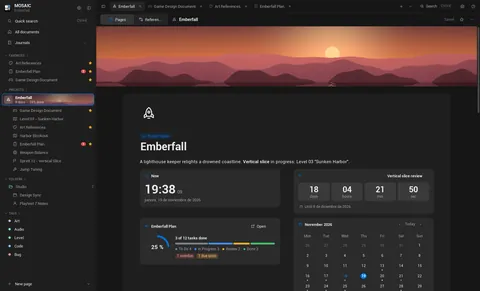
One window, everything in reach

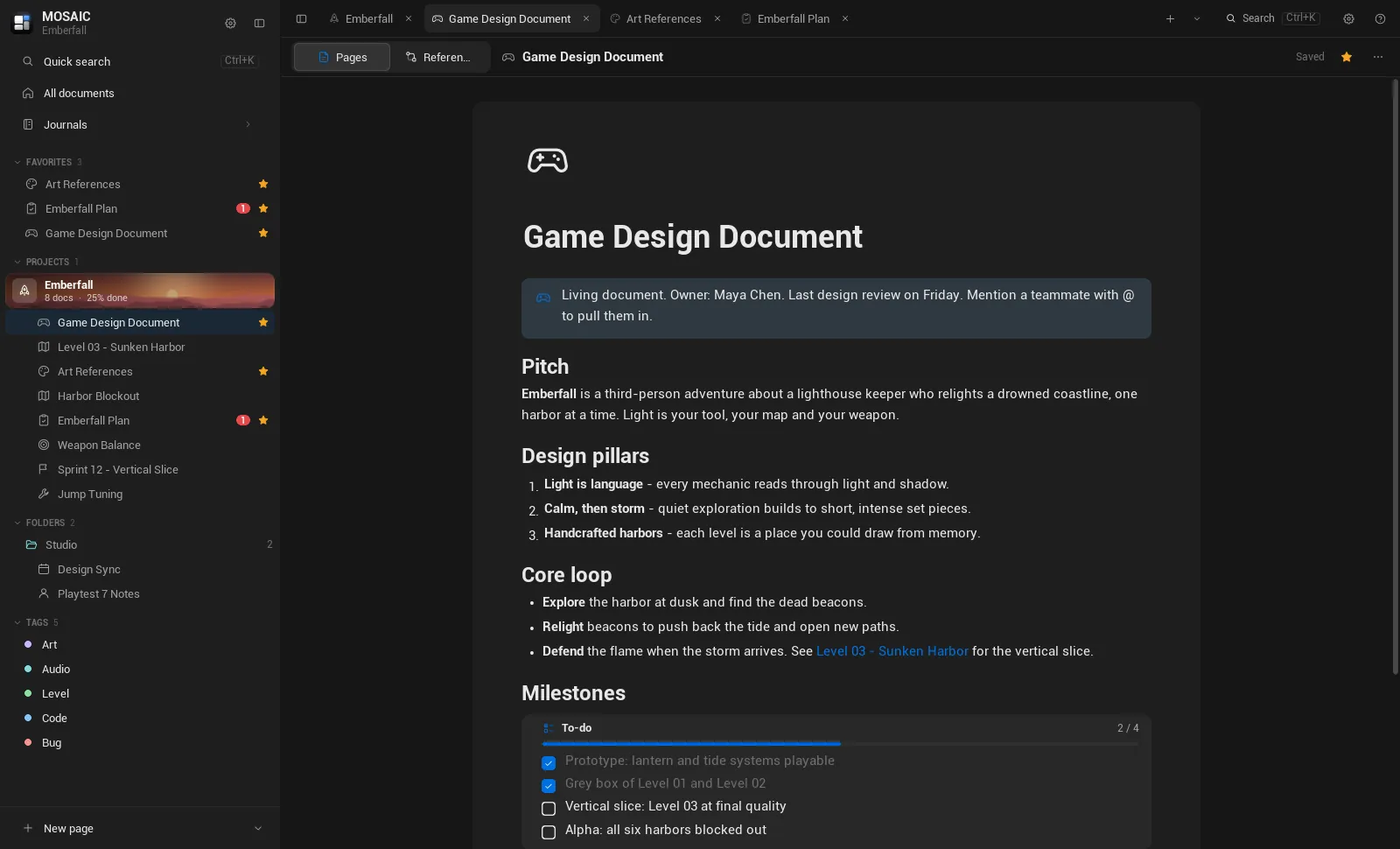
The sidebar holds your projects, journals, folders, favourites and tags; the document fills the rest, with its header, cover and properties.

The command palette (Ctrl+K) finds any document or command, and the window docks like any editor tab.

  • Docks like any editor tab
  • Ctrl+K command palette
  • Projects, journals, tags
Read the chapter in the manual
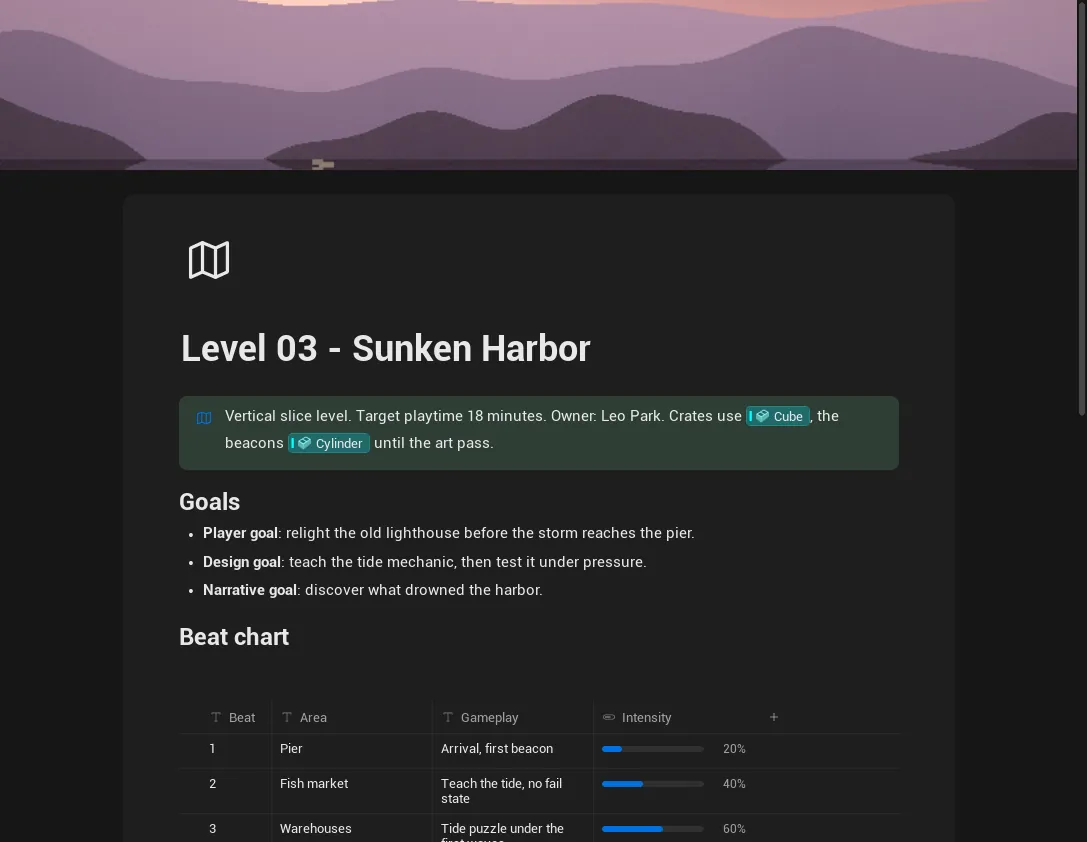
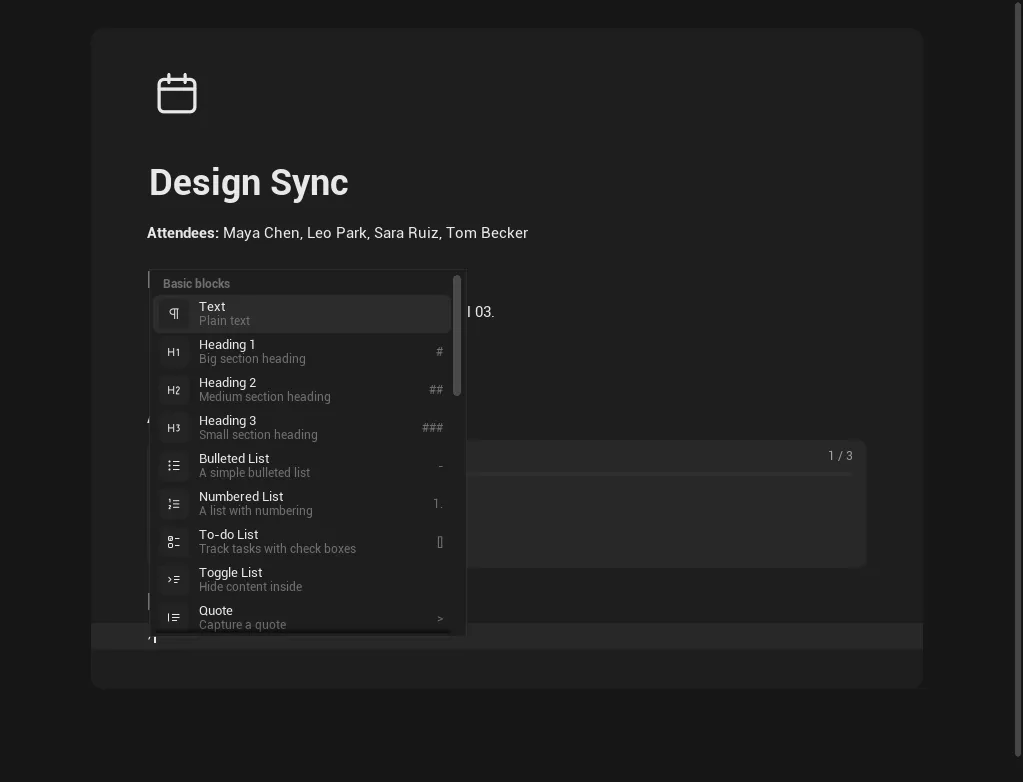
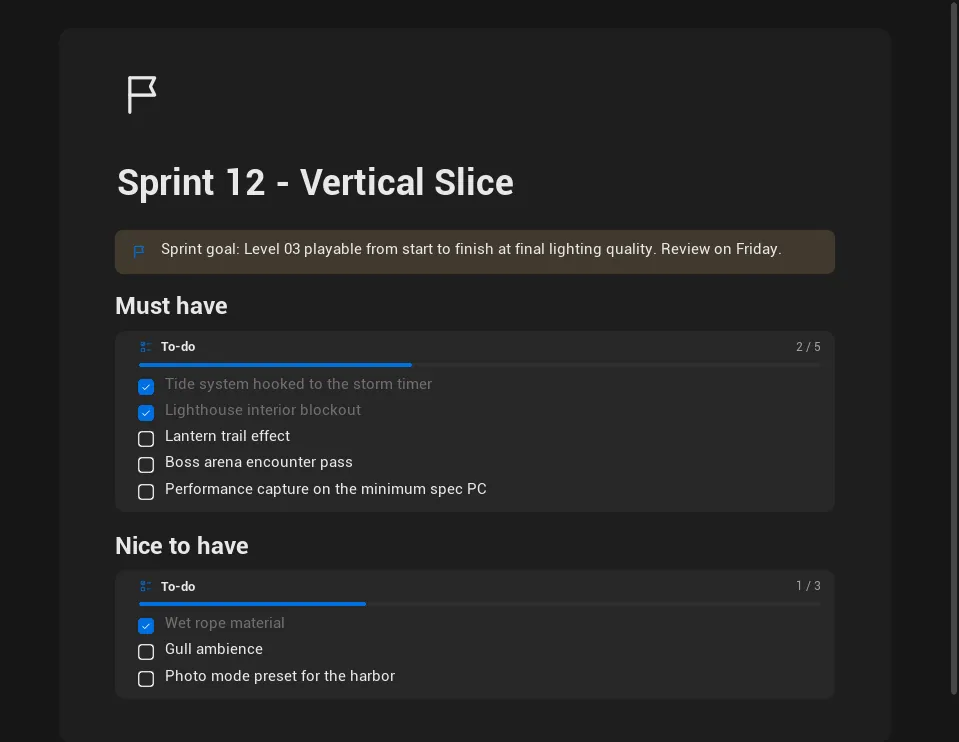
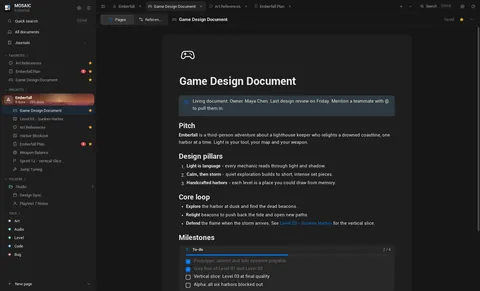
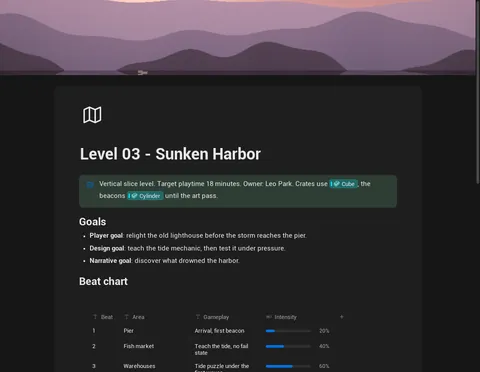
A level page with goals and a beat chartPageThe slash menuSlash menuTo-do lists with progressTo-dos
Markdown
Copied blocks paste as readable markdown anywhere
Page themes
Each page keeps its own look
Undo
Every change, even a mode switch, is an undo step

02 / 07

A real block editor

Write with headings, lists, to-dos, toggles, quotes, callouts and code.

Markdown shortcuts, a slash menu, @ links to other documents and drag-to-reorder blocks keep you typing, and tables, calculations and embeds sit right inside the page.

  • Markdown shortcuts
  • Slash menu and @ links
  • Tables and embeds in the page
Read the chapter in the manual
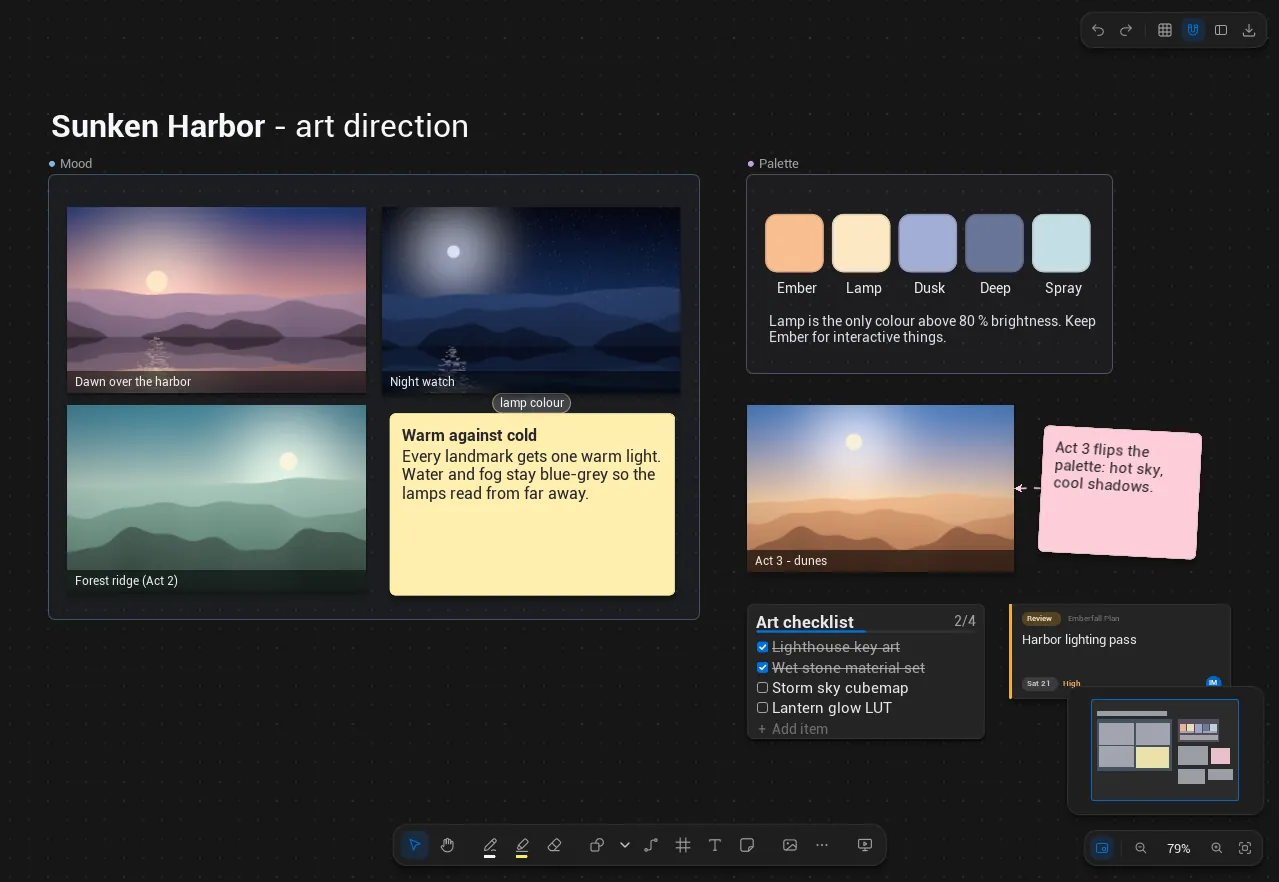
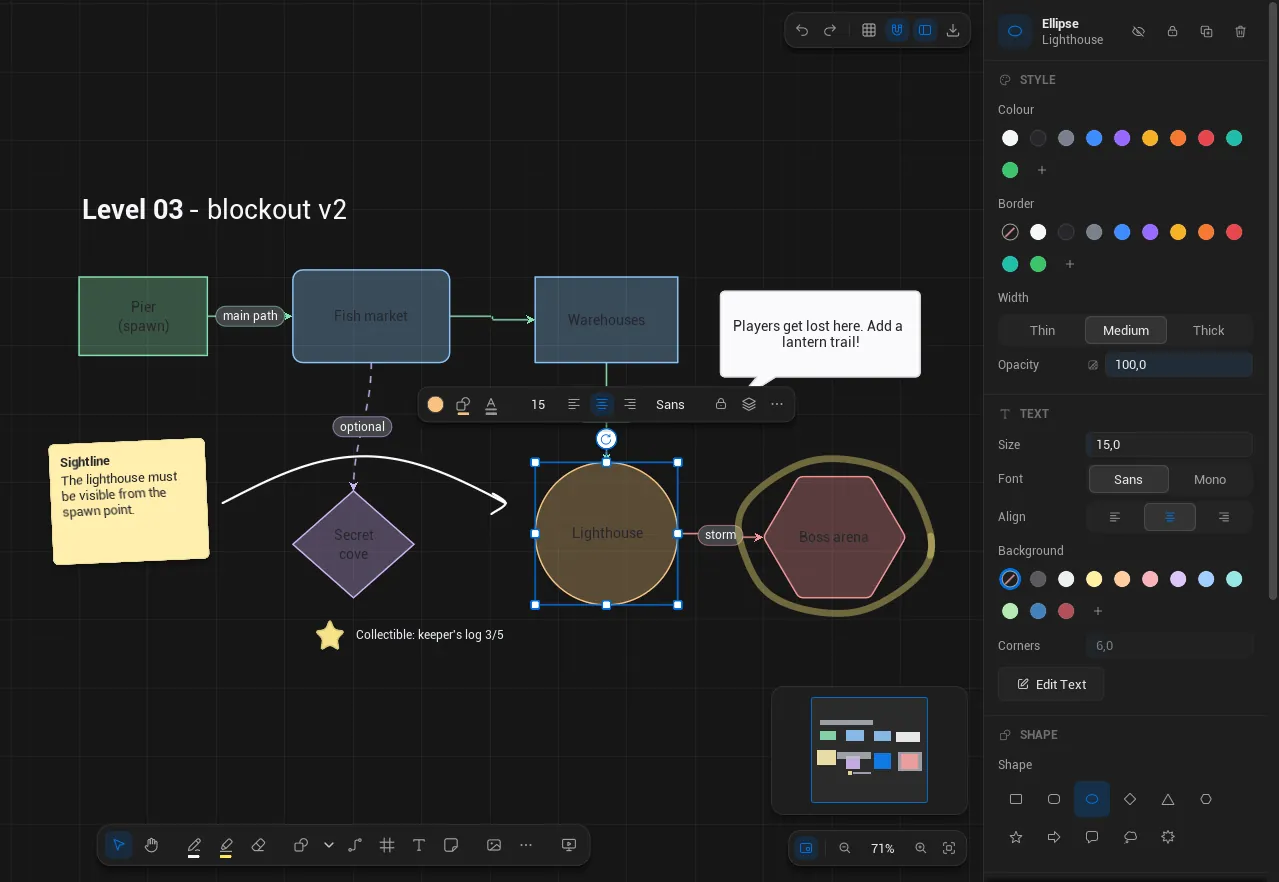
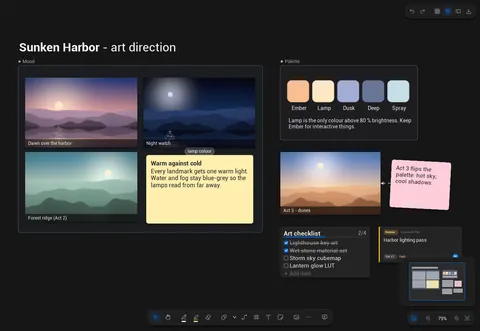
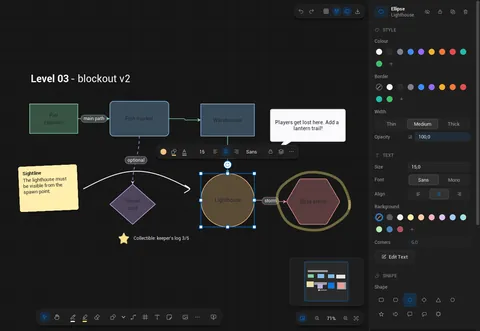
An art-direction references boardReferencesA blockout drawn with shapes and connectorsDrawing
Media
PNG, JPEG, EXR, HDR, TIFF and GIF on the board
Present
Frames become the slides of a presentation
Export
Save a whole board as an image

03 / 07

An infinite canvas for every document

Switch any page to its References canvas and lay things out from 3 % to 800 %: images, GIFs, videos, sticky notes, shapes, frames and connectors, with smart guides, a minimap and presentation of frames.

  • 3 % to 800 % zoom
  • Shapes, frames, connectors
  • Minimap and presentation
Read the chapter in the manual
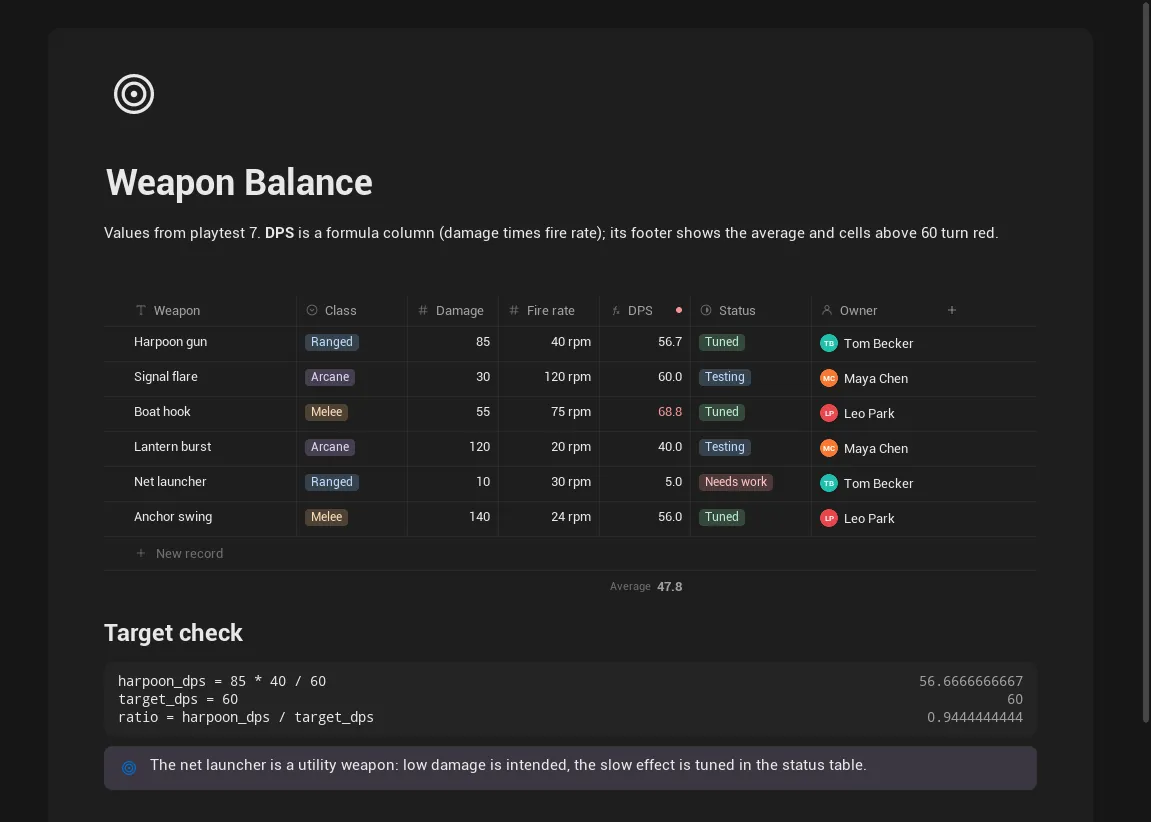
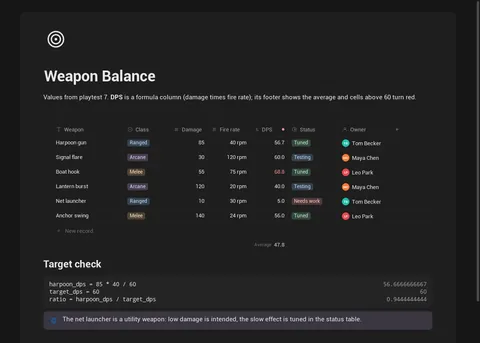
A weapon balance table with formulasTable
Formulas
About 70 functions for columns and calculations
Views
Table and kanban views of the same records
Organise
Search, sort and group records by a column

04 / 07

Typed columns that do the maths

Text, number, select, status, date, progress, person and formula columns, quick fields, colour rules and summaries.

About 70 formula functions power calculation blocks and inline formulas on pages.

  • Typed columns
  • About 70 functions
  • Colour rules and summaries
Read the chapter in the manual
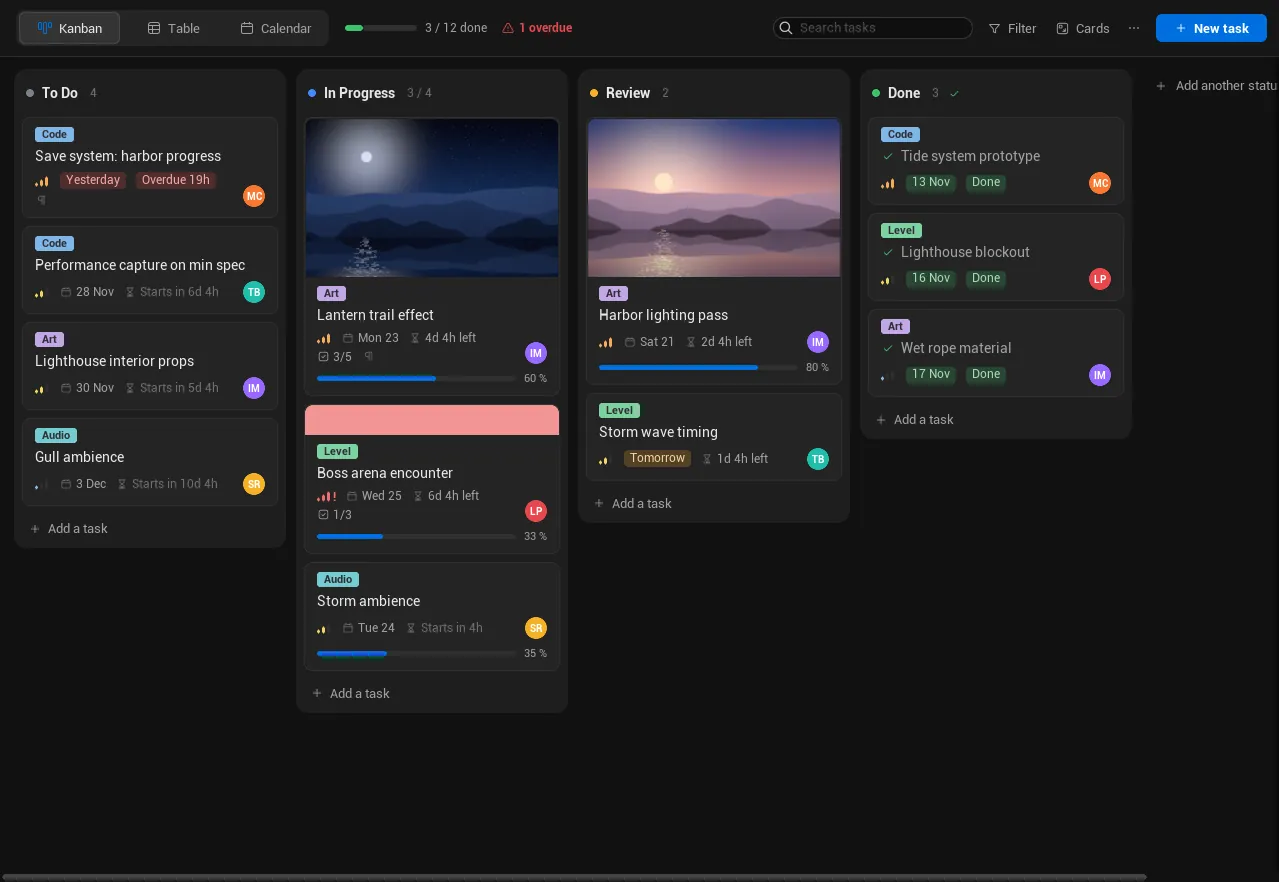
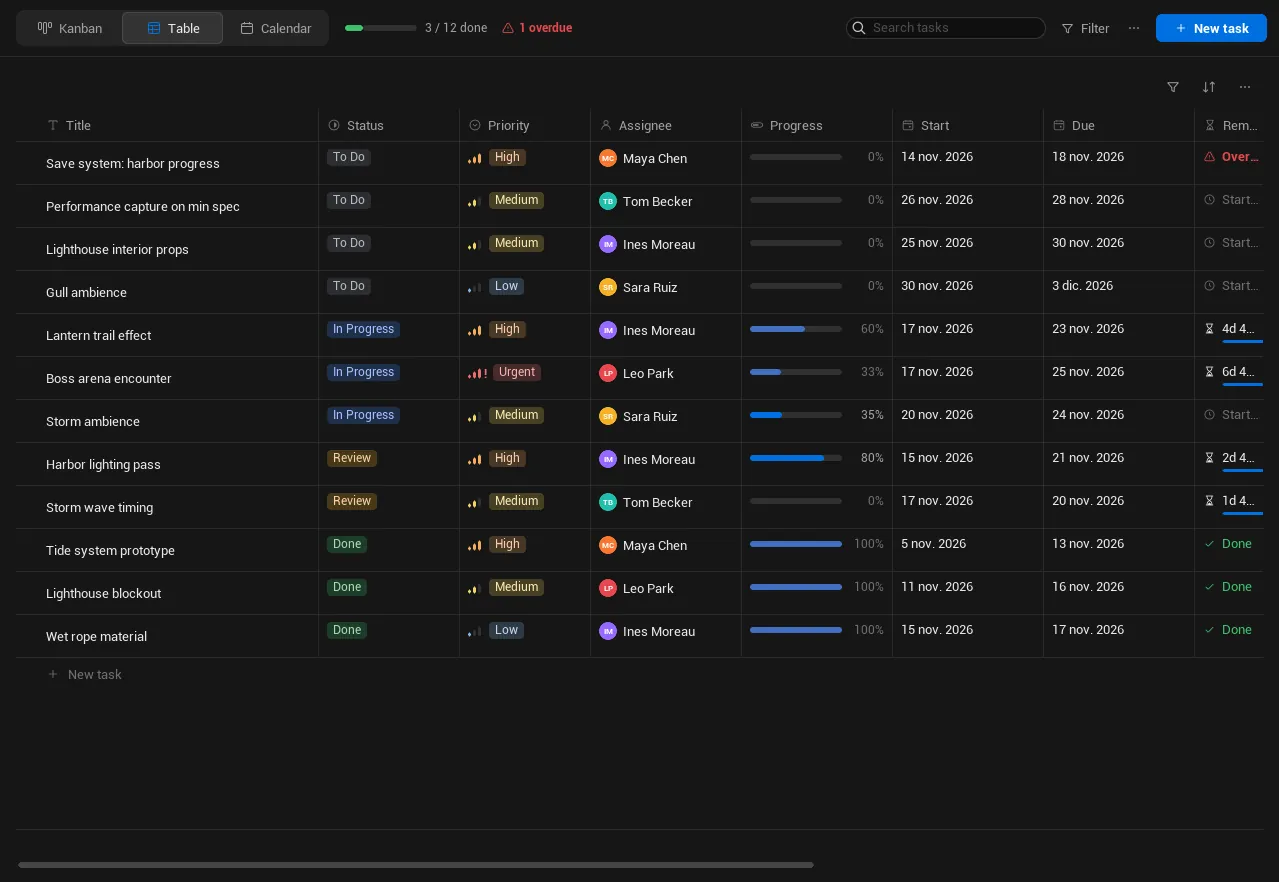
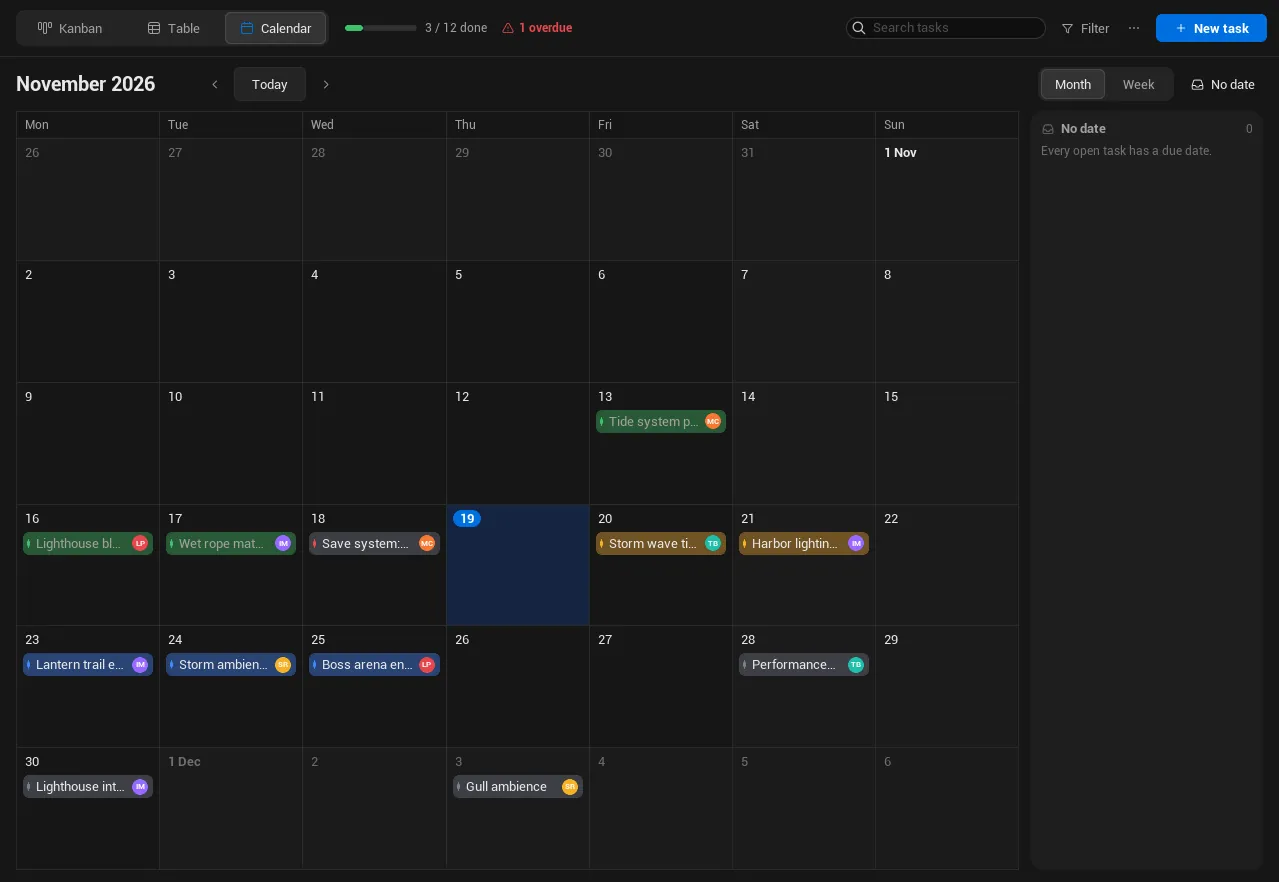
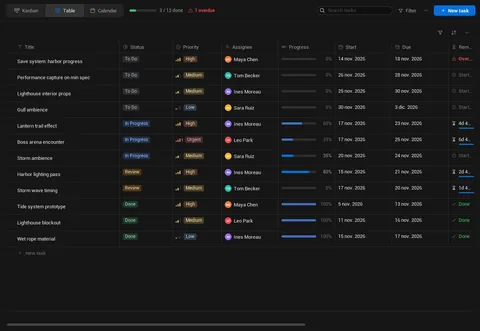
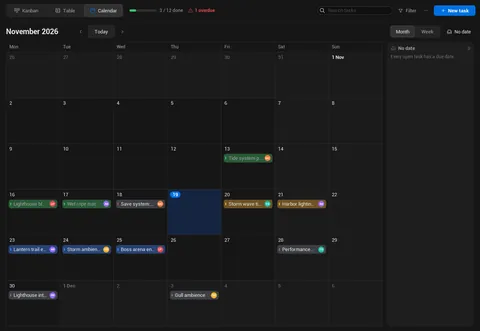
The plan as a kanbanKanbanThe plan as a tableTableThe plan as a calendarCalendar
WIP limits
No limit, or 1 to 20 cards per list
Calendar
Month and week views of the due dates
Boards
Drag tasks onto boards and pages

05 / 07

Kanban, table and calendar

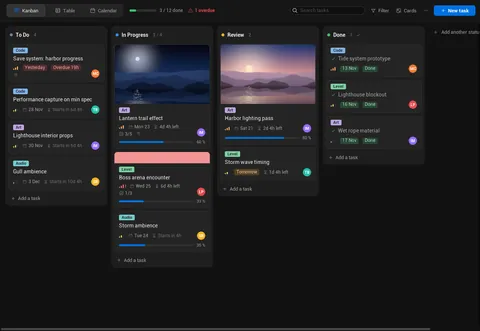
Tasks with statuses, priorities, assignees, dates, estimates, tags and checklists.

Track them on a kanban with WIP limits, in a table with a progress column or on a month and week calendar, and drag them onto boards and pages.

  • WIP limits
  • Month and week calendar
  • Drag tasks onto boards
Read the chapter in the manual
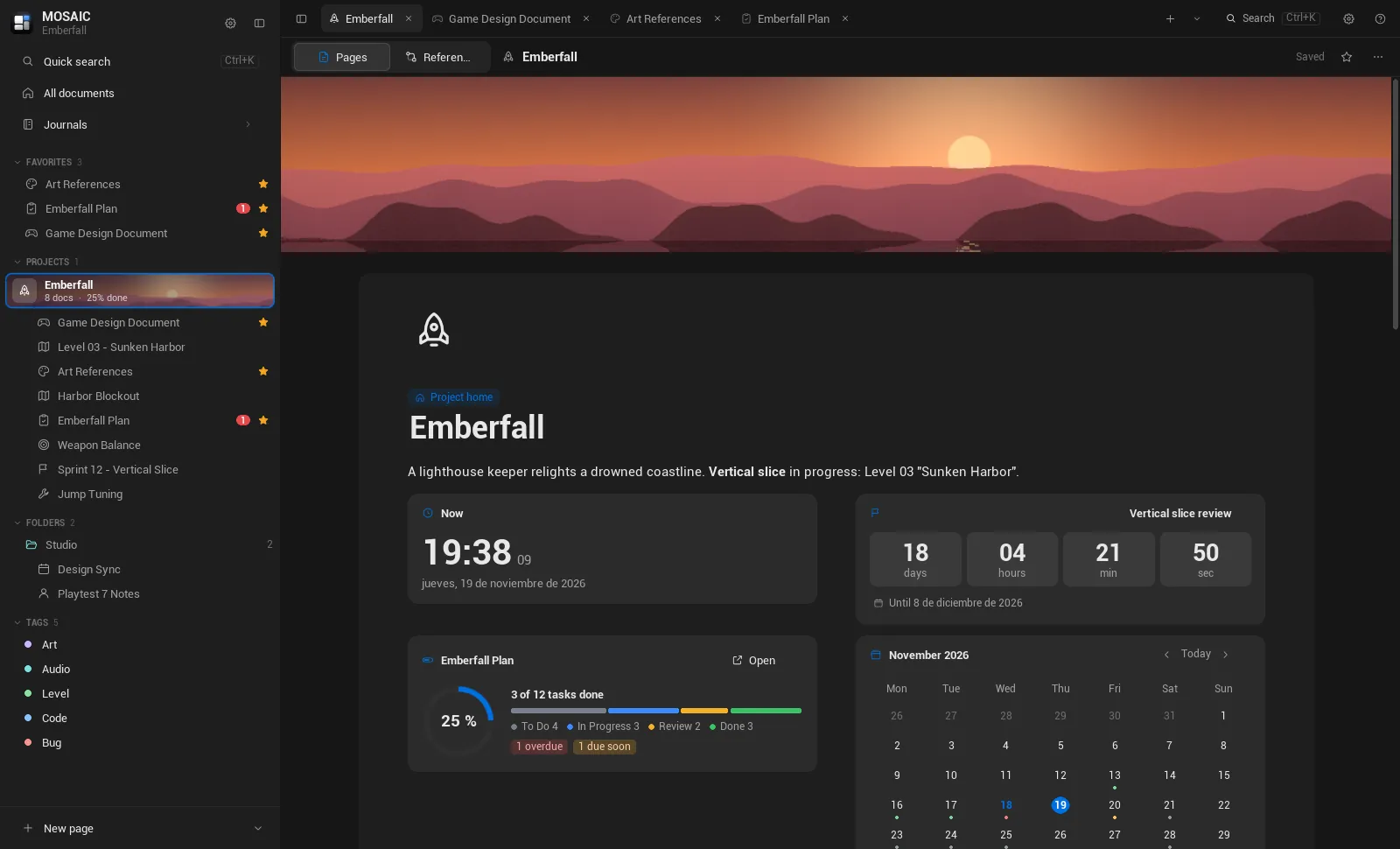
A project Home pageHome
Countdown
Days to the next milestone, named in the widget
Starter
A Notes heading with three starter to-dos
One per project
One project per game, milestone or team area

06 / 07

A Home dashboard for every project

A project folder brings its plan and a Home page of live widgets: a clock, a countdown to the next milestone, plan progress, a calendar of due dates and journal days, a pages gallery and recent documents.

  • Countdown to the milestone
  • Plan progress
  • Due dates calendar
Read the chapter in the manual
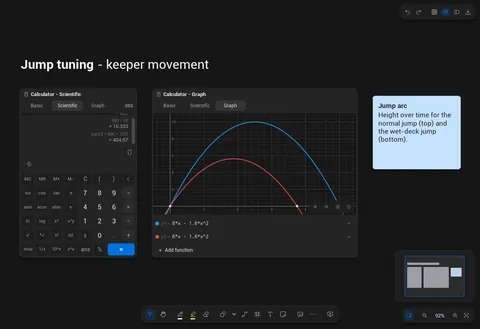
The calculator in graph modeCalculator
Modes
Basic, scientific and graph
Angles
Degrees or radians, with memory keys
On any canvas
Drop it on a board next to your notes

07 / 07

A graphing calculator on the board

Basic, scientific and graph modes, with degrees or radians, memory, several curves, trace, roots and intersections, as an item you drop on any canvas.

  • Basic, scientific, graph
  • Roots and intersections
  • Lives on any canvas
Read the chapter in the manual
[02] Features // Write, collect, planPages · boards · plans

Write, collect, plan. In one document.

Every MOSAIC document is a page for writing and an edgeless canvas for laying things out. Plans and projects keep the work moving.

F.01

Pages

A real block editor

Headings, lists, to-dos, toggles, quotes, callouts, code and dividers, with markdown shortcuts, a slash menu, @ links to other documents and drag-to-reorder blocks. Covers, icons, properties, an outline, full width and a light paper theme.

  • Tables, calculations and inline formulas inside the page
  • Embeds: images, videos, asset cards and Blueprint snippets
  • Nine templates: game design document, level design doc, bug report, sprint plan and more
F.02

Boards

An infinite edgeless canvas

Pan and zoom smoothly from 3 % to 800 %. Drop images, GIFs and videos, write sticky notes, draw with a smoothed pen and a highlighter, group with frames and link items with connectors. Smart guides, a minimap and presentation of frames.

  • Captures of the viewport or a camera that remember the view: double-click to go back
  • Code snippets with syntax colours, link cards, task cards, calculators
  • Shapes, comic bubbles, to-do lists, tables and asset cards on the canvas, with layers and hidden items
  • Export the board as a PNG
F.03

Plans

Kanban, table and calendar

Tasks with statuses, priorities, assignees, dates, estimates, tags and checklists. A kanban with WIP limits, a table with a progress column, a month and week calendar, and tasks you drag onto boards and pages.

  • Projects with a Home dashboard: clock, countdown, progress, calendar and page gallery
  • Journals with a page per day, and a command palette (Ctrl+K)
  • CSV export and overdue reminders
[03] Details // Built for game teamsSnippets · formulas · captures · files

Built for game teams, down to the details.

Blueprint snippets that look like the editor

Paste graph nodes from any graph editor and see them in the engine's own graph view: Blueprint, Widget and Animation Blueprint event graphs and Materials. Open in Editor gives you a temporary copy in the real asset editor.

~70

Formula functions

Text, number, select, status, date, progress, person and formula columns, quick fields, colour rules and summaries. Calculation blocks and inline formulas on pages.

A graphing calculator

Basic, scientific (degrees or radians, memory) and graph modes with several curves, trace, roots and intersections.

Viewport captures

Capture the level viewport or a camera actor. Double-click the capture to bring the viewport back to that exact view.

Fast video

Local videos play through the engine's media player with real poster frames. Online videos play one at a time, only while you watch.

Nothing is ever lost

One small JSON file per document and plan, media named by content, atomic writes, source-control check out and add, live reload after a sync, conflict copies, backups and a recoverable trash.

At home in the editor

A minimal dark interface with its own icon set, an accent colour with live preview, right-click menus everywhere, rebindable commands and shortcuts that only act while MOSAIC has focus.

[04] Specs // Technical detailsMosaicEditor · editor only

Technical details.

What MOSAIC needs, where your notes live and what it adds to a build: nothing.

ItemDetail
EngineUnreal Engine 5.8
PlatformWindows 64-bit (tested). Elsewhere everything works except images on the system clipboard.
ModuleMosaicEditor (editor only)
Packaged gameNothing added: the workspace is a folder of JSON and media files, not assets
FilesOne small JSON file per document and per plan, ready for source control
OptionalA source-control provider in the editor, to check out and add files automatically
ManualInside the editor (F1) and online
Support[email protected]
[05] Licensing // MOSAIC on FabOne-time purchase · identical plugin

One plugin, two licences.

The plugin is identical in both. Pick the Fab licence that matches who you are.

Personal

$49.99USD

One-time purchase on Fab · taxes at checkout

For individuals and small teams that qualify for Fab's Personal licence.

Get Personal on Fab

What's included

  • The complete plugin: pages, boards, tables, planner, projects
  • All nine templates
  • The full manual
  • Support by e-mail
ProfessionalFor studios

$199.99USD

One-time purchase on Fab · taxes at checkout

For studios and companies that need Fab's Professional licence.

Get Professional on Fab

What's included

  • Everything in Personal
  • Licensed for professional and studio use
  • Seats and invoices through [email protected]
  • Support by e-mail

Checkout, licence terms, taxes and refunds are handled by Fab. Not sure which licence you need? Write to [email protected].

[06] MOSAIC FAQ

MOSAIC questions.

Does MOSAIC add anything to my packaged game?

No. MOSAIC is an editor-only module, and its workspace is a folder of JSON and media files, not Unreal assets, so nothing of it is cooked or packaged.

Can my whole team use it with source control?

Yes. Each document and plan is one small text file. MOSAIC checks files out and marks them for add through the editor's source control, reloads them when a sync changes them, and keeps conflict copies instead of overwriting anyone's work.

Where are my notes stored?

In a workspace folder inside your project. You can read the files with any text editor and move them between projects.

Which videos can a board play?

Local videos play through the engine's media player (MP4 / H.264 works with the engine's defaults on Windows). Online videos play in the editor's built-in web browser. Anything that cannot play inside the editor opens in your system's default app.

Can I paste nodes from any graph?

Yes. Blueprint, Widget and Animation Blueprint event graphs and Materials show in the engine's own graph view; other graph types show as a schematic in the graph editors' colours.

Personal or Professional?

Same plugin. The tier follows your Fab licence: Personal for individuals and small teams that qualify, Professional for studios and companies. Questions: [email protected].

[ Getting started ]

Your first board in five minutes.

The manual starts with a page, a canvas, a plan and a project, step by step.

Help with MOSAIC or a licence: [email protected]